The Library In Your Lap
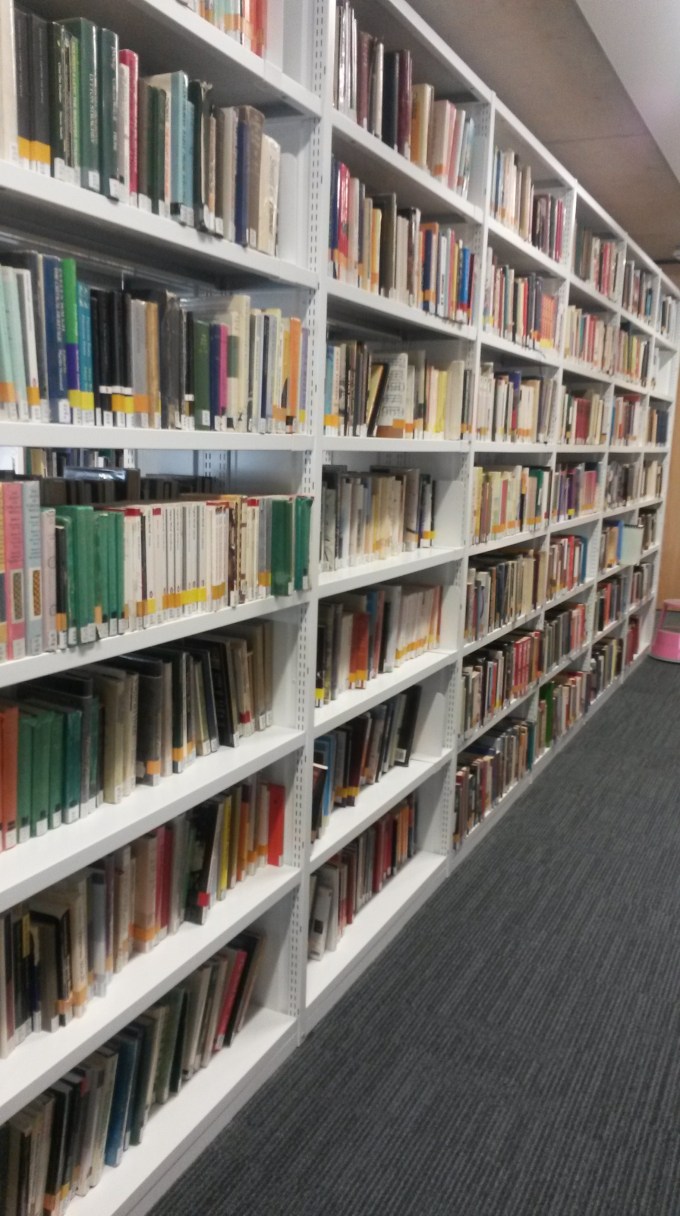
University libraries need to cater for all the students attending, therefore they need to have a wide stock of books for each subject area students could potentially study. Oxford Brookes University’s library is, as expected, very large because of this. The seemingly infinite number of books is almost impossible to browse through physically in order to find a book that is relevant to a particular topic, so the university has provided students with an online catalogue to search for books. Students need only search for the specific subject area they are researching on, narrow down their search and select the book or books they consider the most helpful and reserve the book if it is available.
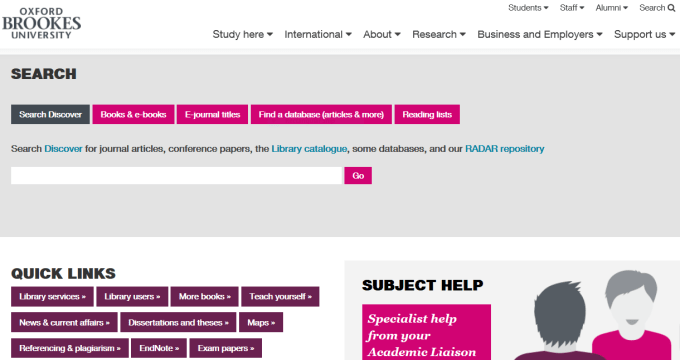
To search for research material online, one need only go to the Oxford Brookes University library home page and type in what they want material on. However, the search is done on the “Search Discover” tab, then you might find it quite cumbersome to actually find what you really need as it brings up material from every category. The categories are: books, e-books, e-journals and databases (articles and so on.) You can imagine that if you searched for “genetics for instance, hundreds of thousands of options would pop up in the search results. Obviously you would need hours to look through all the options to single out the optimum choice.
To narrow down your search, decide what form you would like your material to be in. If you want a book or an e-book, select the tab labelled “Books & e-books” and type in the subject you are looking for. It is likely that you will get about a thousand results so these simple steps can help you narrow down your search.
- Select the campus that its most convenient for you to collect the book from: It is wise to do this as it would be quite inconvenient for you to collect a book from a campus you don’t often go to or are not familiar with.
- Select the time period you would like to take your research from: It is best to use material from the last 10 years as it will be up to date as well as relevant.
- Select a particular topic in the subject area: there is usually a list of these to help you narrow down your search to the specific top in your subject that you ar
- e looking at
Once you have followed these simple steps you should have a search of less than 15 results which is far easier to look through than thousands of books. Its wise to sort the results in order of their relevance but this is usually done already.
To search for E-Journals:
- Type in the subject you are searching for and click go
- Click the tick box for “Peer Reviewed Journals” as they are the most trustworthy
- Narrow down the subject by selecting the topic you are researching on
- Select the journal you find most suitable
- Click on Full Text Access and then click on the link the drops down after that
- Log in to the system

To search for articles:
- Click on “Find a database(articles & more)”
- Click on “A”
- Under Academic search complete (full text plus some Abstract/Index) select “connect to Academic search complete”
- Three boxes appear so in the first one, type in the subject area in single quotation marks eg ‘climate change’. In the second one, type in a particular topic to narrow down the search eg global warming (quotation marks not needed) and in the third one, narrow it down even further, eg ice caps/sea levels
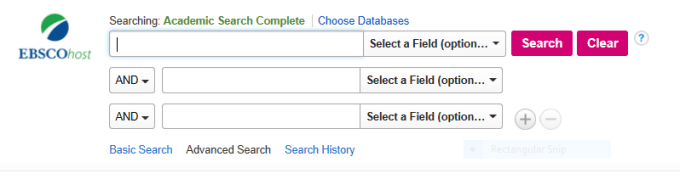
- select search and narrow the search down by ticking the “Full text” box and the “Scholarly(Peer Reviewed) Journals box
- Change the time frame to the last 10 years (2006-2016)
- Tick the “Academic Journals” box
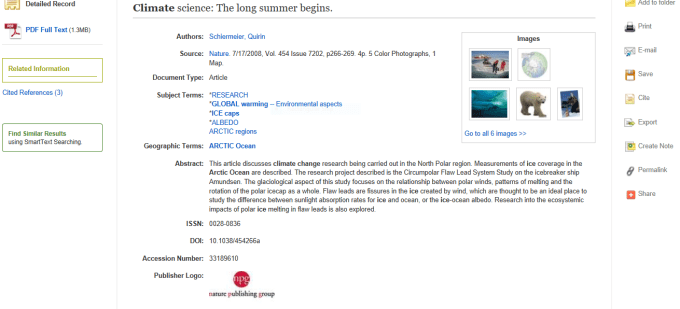
- Click the “Geography” list and select the area you will focus on eg “artic ocean”
- Select a text and read through the description of it. if it satisfies you, click “email” which is found on the right hand side of the screen and fill in your details so that the text can be emailed to you.
The Student Librarian
The subject librarian is the personification of the library catalogue. They are there to advise you on which texts are your best choice for research or study. To set up an appointment with a subject librarian, see the receptionist at the library and specify what course you are doing and what your essay or dissertation is about so that he or she can set up an appointment with the right librarian. During the appointment, explain your needs further and a number of books or other texts will be recommended to you.
The Dewey Decimal System
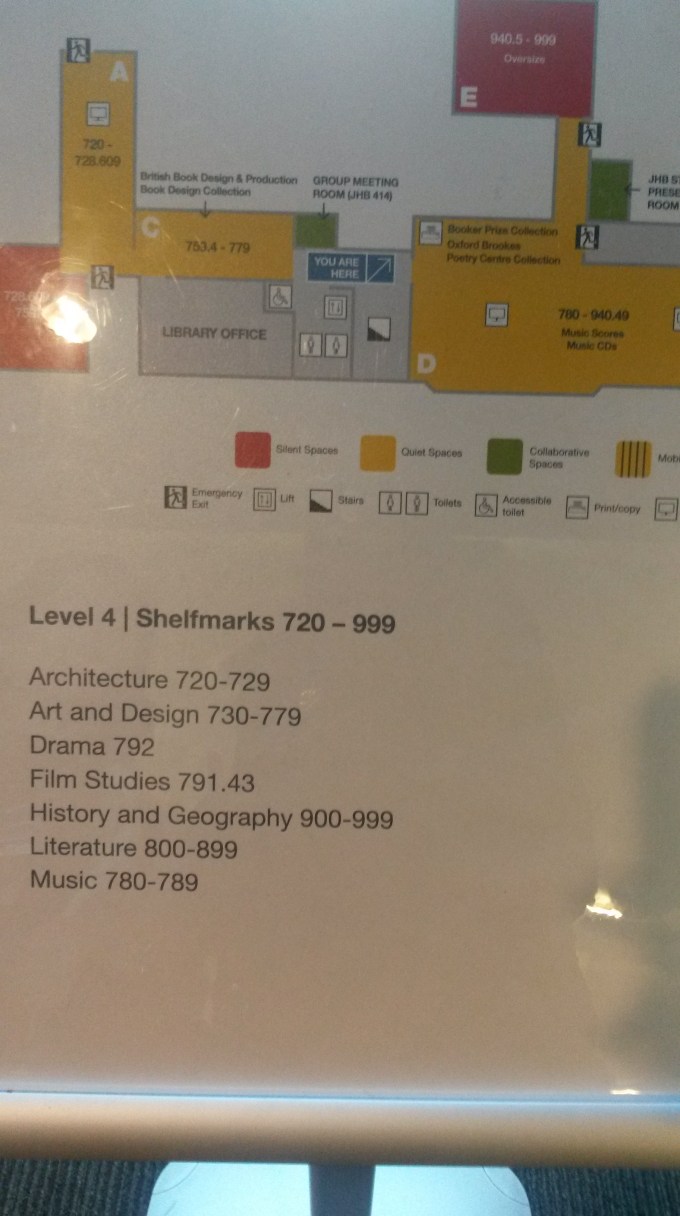
The books in the OBU library are classified under the Dewey Decimal System which is a system which numbers books from 000 to 900+. The idea is to divide the 10 subject areas into classes and the subdivide each class into a further 10.
The subjects are as follows:
000 – Generalities: Encyclopedias, bibliographies, etc on the field of human knowledge.
100 – Philosophy and related disciplines
200 – Religion
300 – Social Sciences: Statistics, economics, public administration, social welfare and education fall under this class.
400 – Philology: Language and Linguistics
500 – Pure Sciences: Mathematics, Physics, Chemistry, Biology and Botany
600 Applied science(technology): Medicine, agriculture, business and management
700 – The Arts: Architecture, Photography, Music and Fine and Decorative Arts
800 – Literature
900 – Geography and History: Also includes biographies of historic figures
Break down of class 400:
400: Language
410: Linguistics
420: English and Old English
430: German
440: French and related languages
450: Italian, Romanian and related languages
460: Spanish, Portuguese and Galician
470: Latin and italic Languages
480: Classical and other Greek Languages
490: Other Languages
Above is an example of how a broad subject is broken down into smaller subjects so that is easy to pinpoint them in the library as its difficult to browse through all four flours of the library just to find one or two books. There are signs on each floor of the library indicating which floor contains which class of books in the library to help students get to the right place quickly. If you happen to know the number of a particular book, you can use it in the online search catalogue so that checking on the book’s availability is quick and easy and you can reserve it in no time.
 Sasha's Space
Dear Sasha
I am very pleased with this. Feedback to follow ASAP
LikeLike